
 Never Lose Tabs · Chrome extension
Chrome crashed? Your tabs are one click away.
Never Lose Tabs saves every tab you have open, automatically, as you browse. If Chrome crashes, updates or your computer restarts, click the icon and press Restore. Every window, every tab, your tab groups and pinned tabs come back.
Tab savers keep losing the tabs they were supposed to save.
We read 13,286 public reviews of the most-installed tab and session savers on the Chrome Web Store. Since 2022, 410 one- and two-star reviews say saved tabs were lost. The top causes:
| What went wrong (from public reviews) | Reviews | What Never Lose Tabs does instead |
|---|---|---|
| The extension's own update wiped saved tabs | 172 | Updates never change your data in place. A verified copy is kept and a backup file is written first. |
| No backup, or the backup didn't work | 86 | An hourly backup file on your computer, and a weekly test that proves it restores. |
| Tabs "just disappeared" | 55 | Two independent copies, checked for damage every time Chrome starts. |
| Chrome or the computer crashed | 49 | Crash-safe saving, and a Restore button the moment Chrome comes back. |
| New computer or a reinstall | 43 | Backup files live in your Downloads folder, outside the extension, so they survive. |
Counts are from reviews published on the Chrome Web Store, read on October 25, 2026.
Protected, searchable, organized.
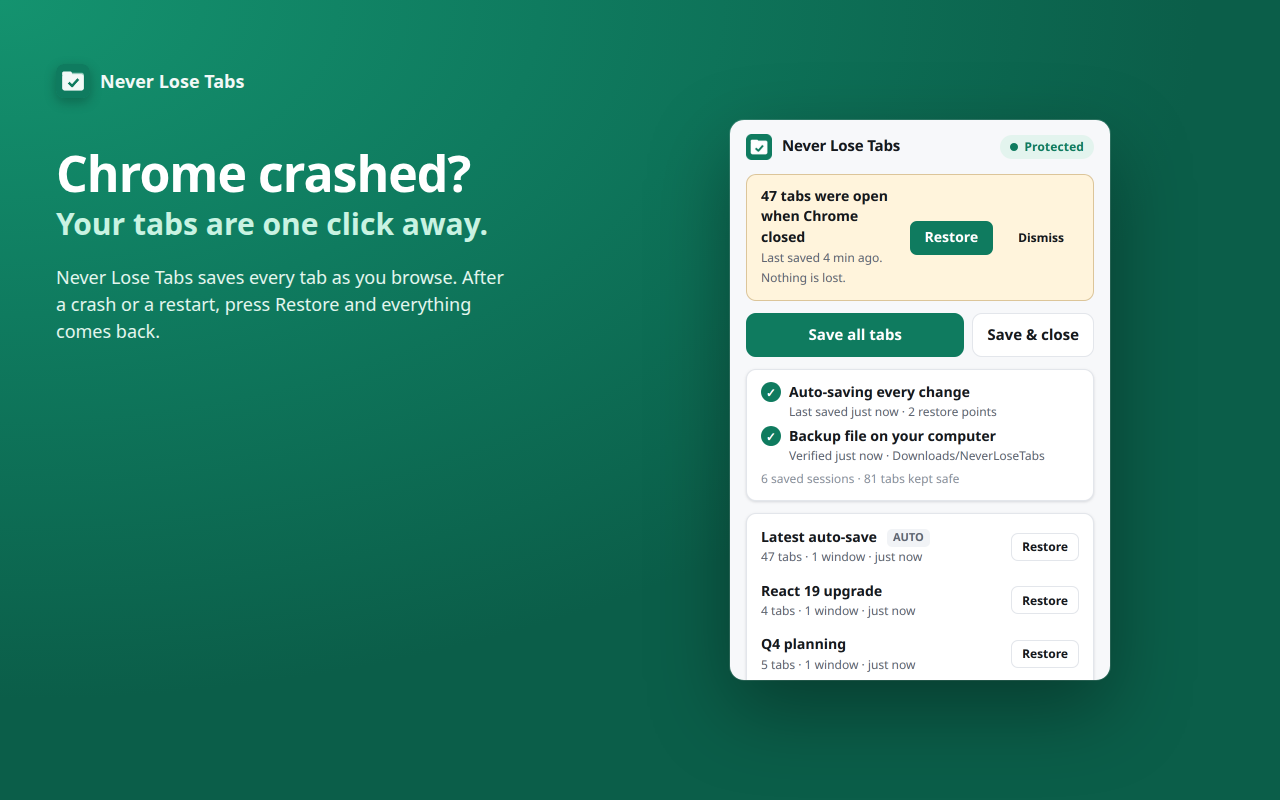
One-click restore
After a crash or restart, press Restore. Tabs load as you click them, so even hundreds of tabs don't slow Chrome down.
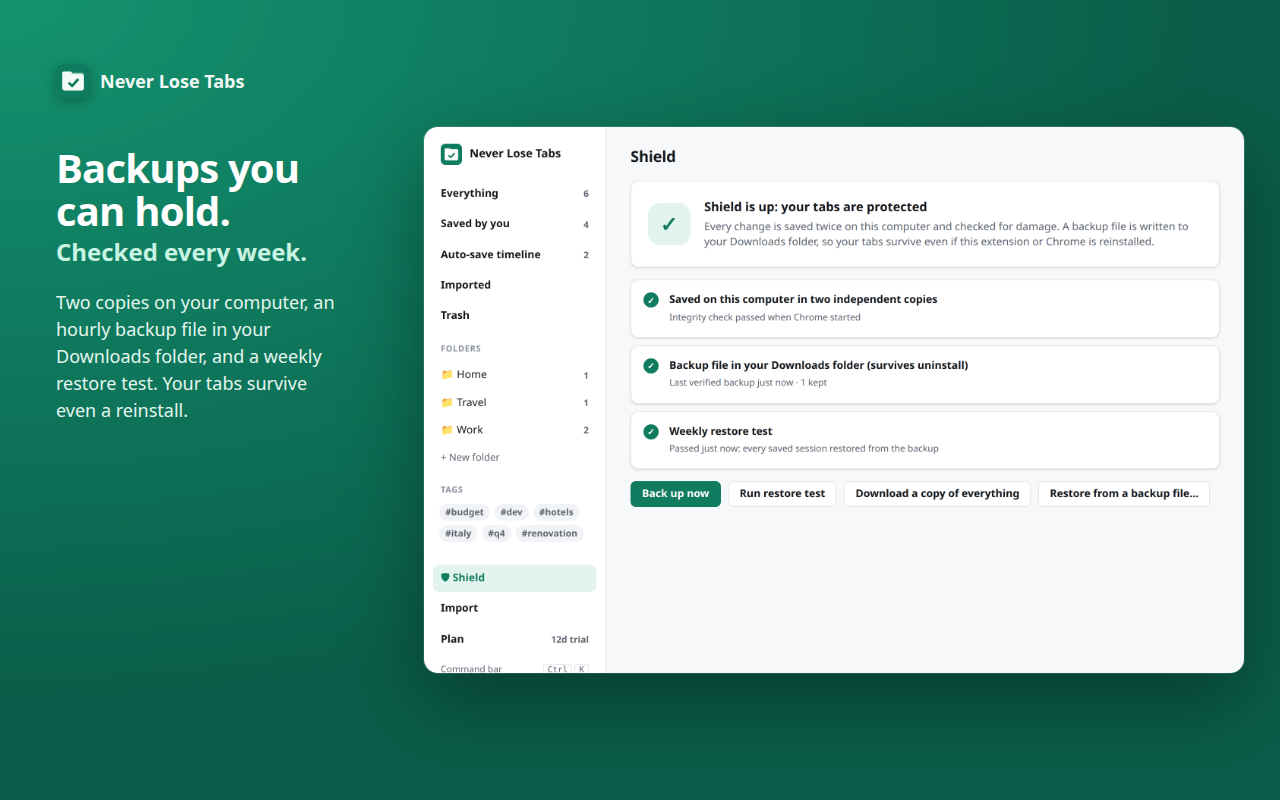
A Shield you can check
The Shield page shows every layer in green: two copies on your computer, the latest backup file, and the last restore test.
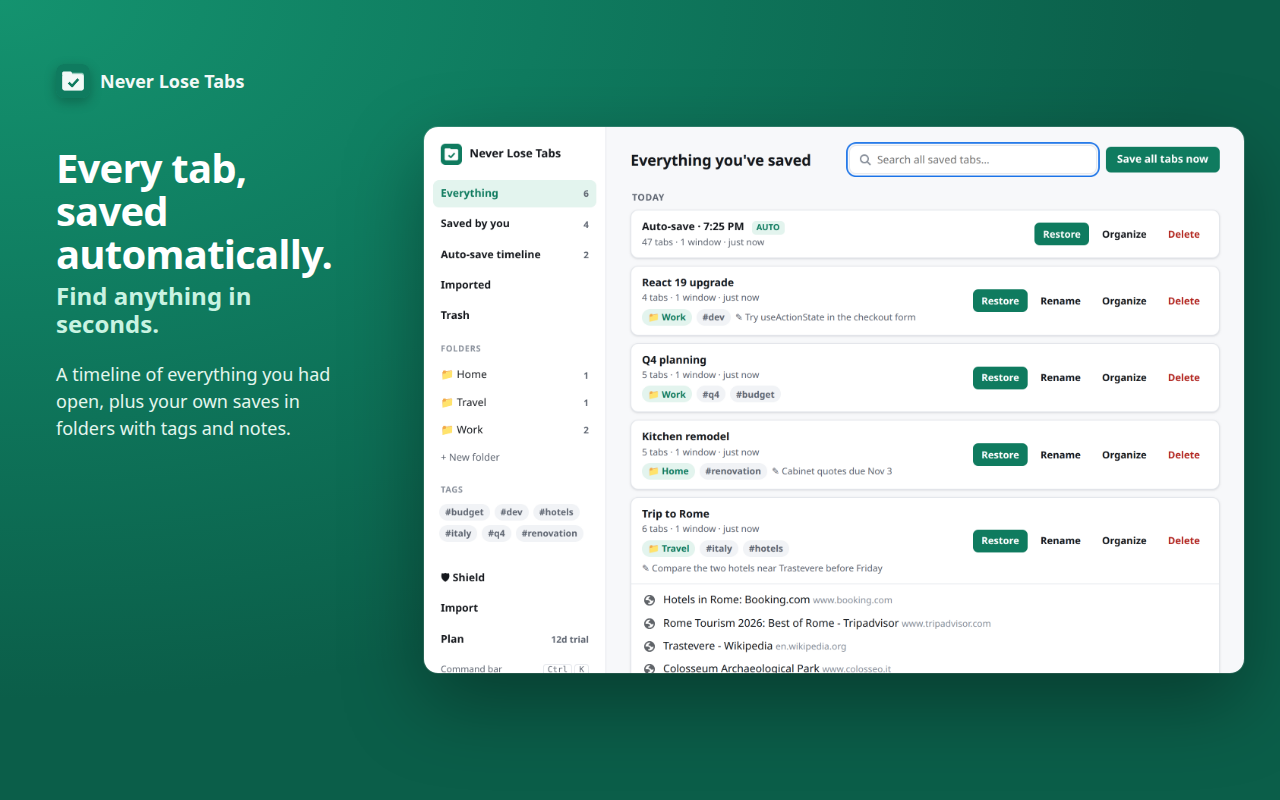
Everything you ever had open
A timeline of automatic restore points, plus your own saves in folders with tags and notes.
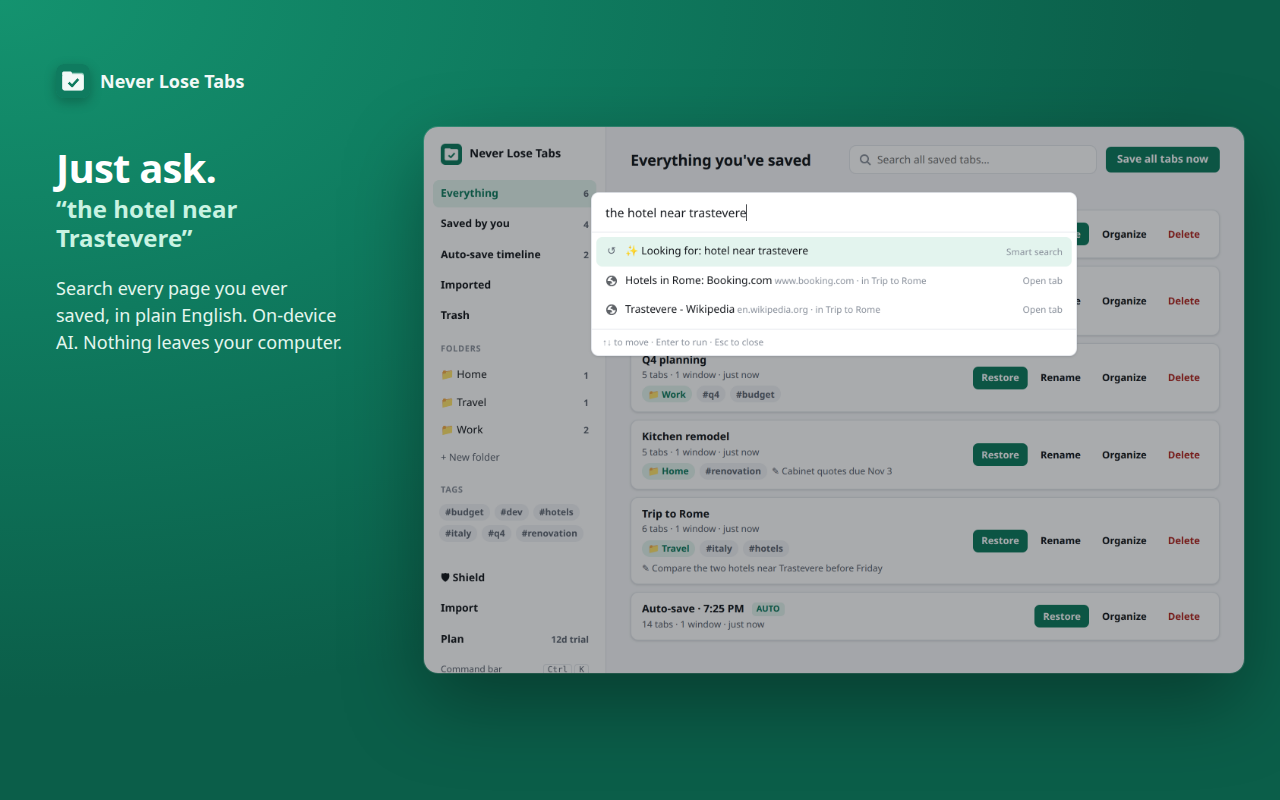
Just ask
"the hotel I looked at Tuesday." Search runs on your computer, using Chrome's built-in AI where available.
Bring your tabs from your old tab manager.
Import from popular tab managers and session savers, or from a bookmarks file. We tested imports against real export files. Importing only adds; it never removes anything. You can export everything any time, in open formats.
Protection is free forever. Pro is a one-time $5.
| Plan | Price | What you get |
|---|---|---|
| Free trial | $0 for 14 days | Everything unlocked. No card, no account. |
| Free, forever | $0 | Auto-save, crash recovery, backup files, weekly restore test, restore, search, import, export and Trash. Your tabs are never held hostage. |
| Pro | $5 once | Folders, tags and notes, drag and drop, editing saves, the command bar and the on-device AI features. Yours forever, no subscription. |
Your Pro key is checked on your computer, so it works offline and needs no account. Email us within 14 days for a refund. Details in our terms.
Your tabs never leave your computer.
Never Lose Tabs stores your saved tabs only on your own computer and in backup files you can see. No account, no tracking, no ads. We never see what you browse. If you buy Pro, Stripe handles the payment and we keep only your email so we can re-send your key. Privacy policy · Terms of service
A person answers.
Email support@codingfriendllc.com. Someone who builds Never Lose Tabs replies within one business day.
Chrome is a trademark of Google LLC. Never Lose Tabs is made by Coding Friend LLC and is not affiliated with or endorsed by Google.