
 Never Lose Codes · Chrome extension
Your 2FA codes, encrypted. You never get locked out.
Never Lose Codes keeps your two-factor login codes in Chrome, encrypted on your computer, with backup files you hold and a recovery key that opens them on any computer. Moving from Google Authenticator takes one photo.
Set up once. Then it backs itself up.
1. Save your recovery key
Setup shows a 26-character recovery key once. Save it in your password manager or on paper. It opens your codes on any computer.
2. Bring your accounts in
One photo of Google Authenticator's export code brings every account over. Or scan a site's QR code, drop in a screenshot, use your webcam, or type the setup key.
3. Click to copy a code
Open it from Chrome's toolbar, click a code, paste it. Every change is backed up to an encrypted file in your Downloads folder.
What it looks like
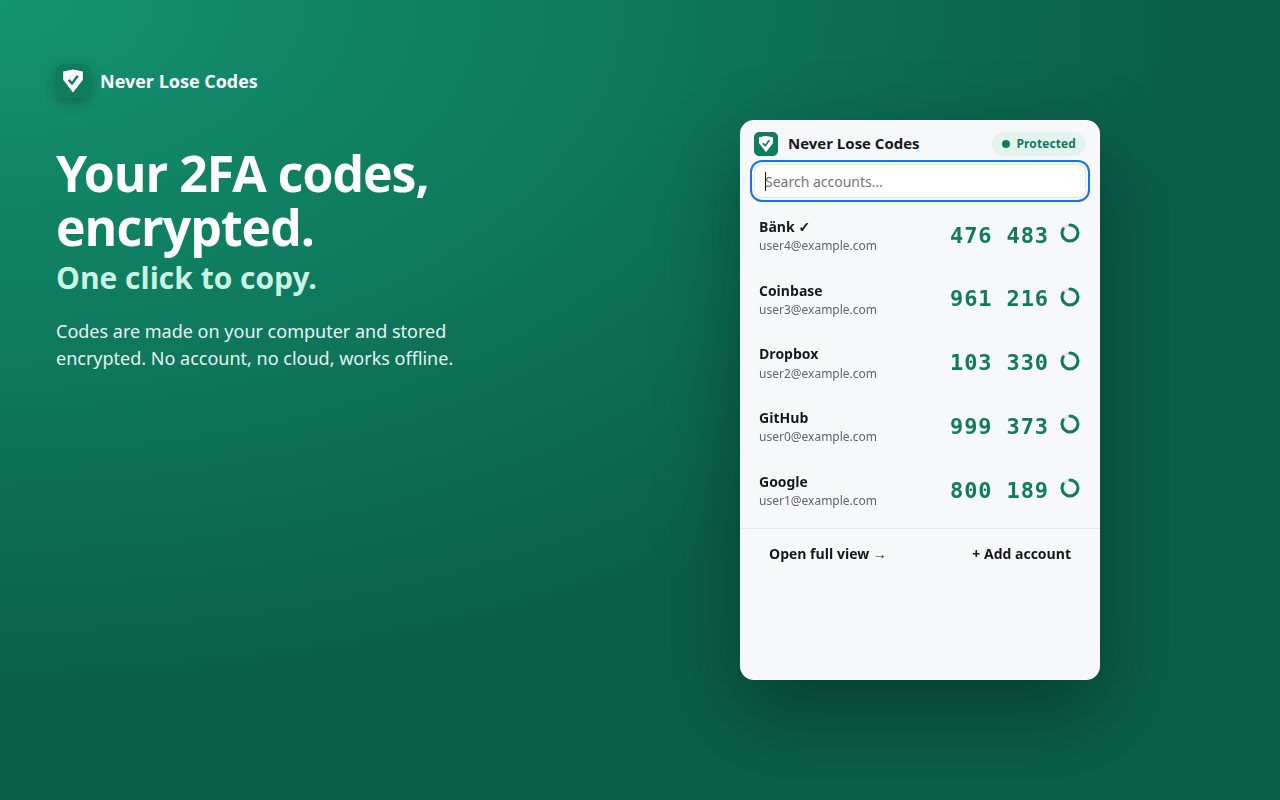
Your codes, one click to copy
Search your accounts, see the countdown, click to copy. It works offline.
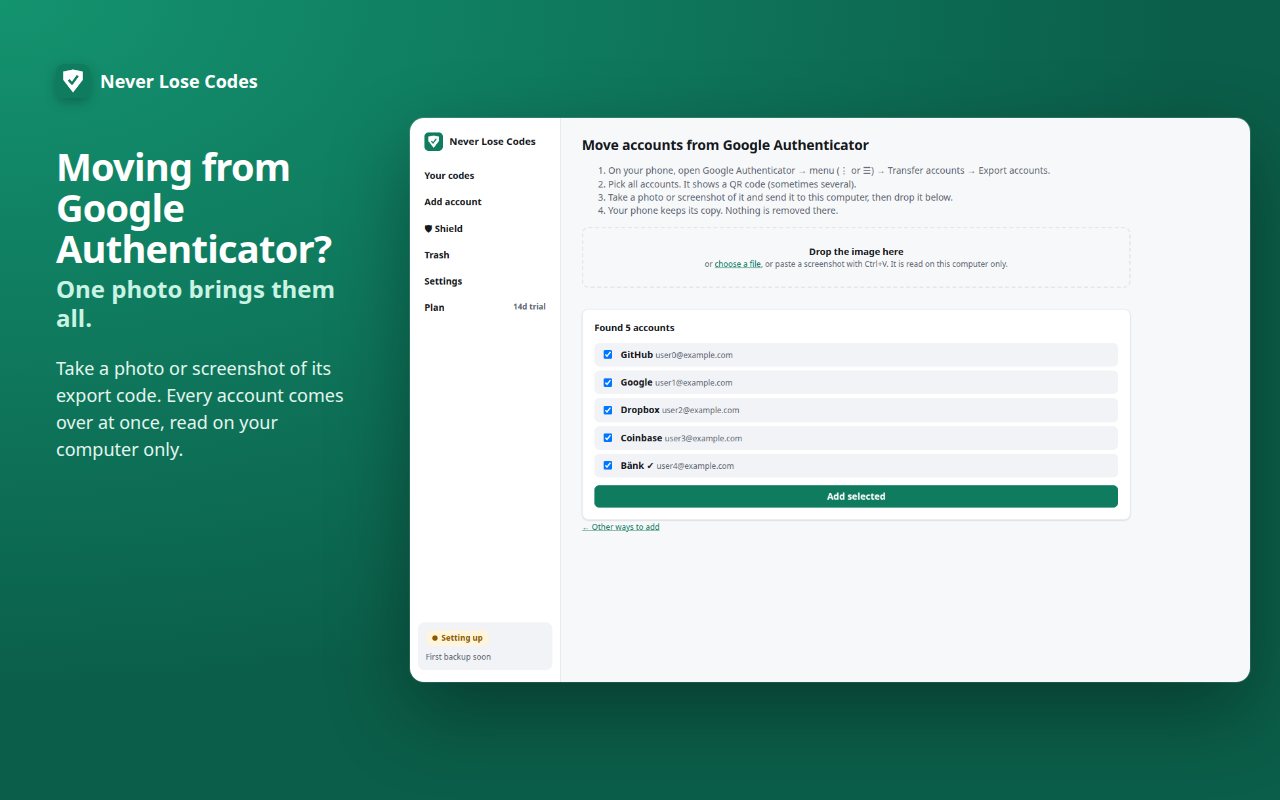
Moving from Google Authenticator
Drop in a photo or screenshot of its export code. The image is read on your computer only.
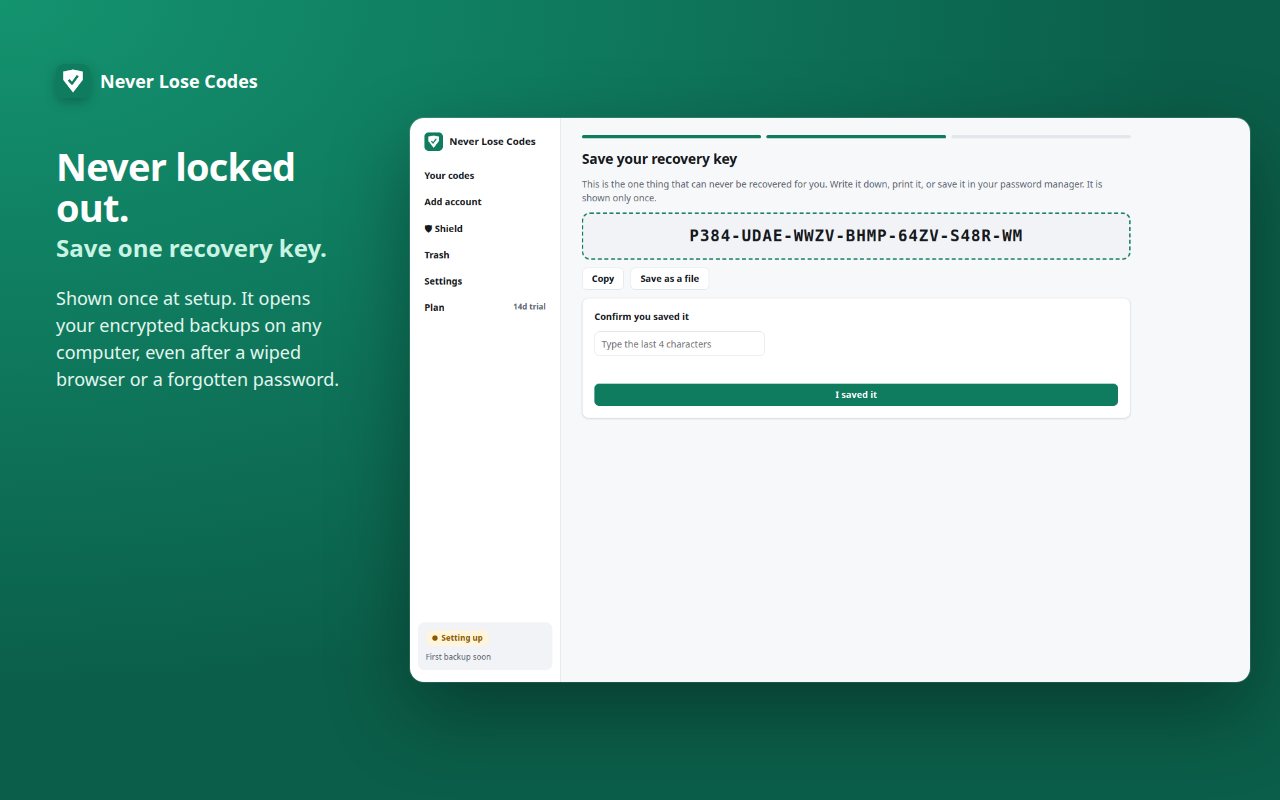
A recovery key you confirm
Shown once at setup. You type its last 4 characters to prove you saved it.
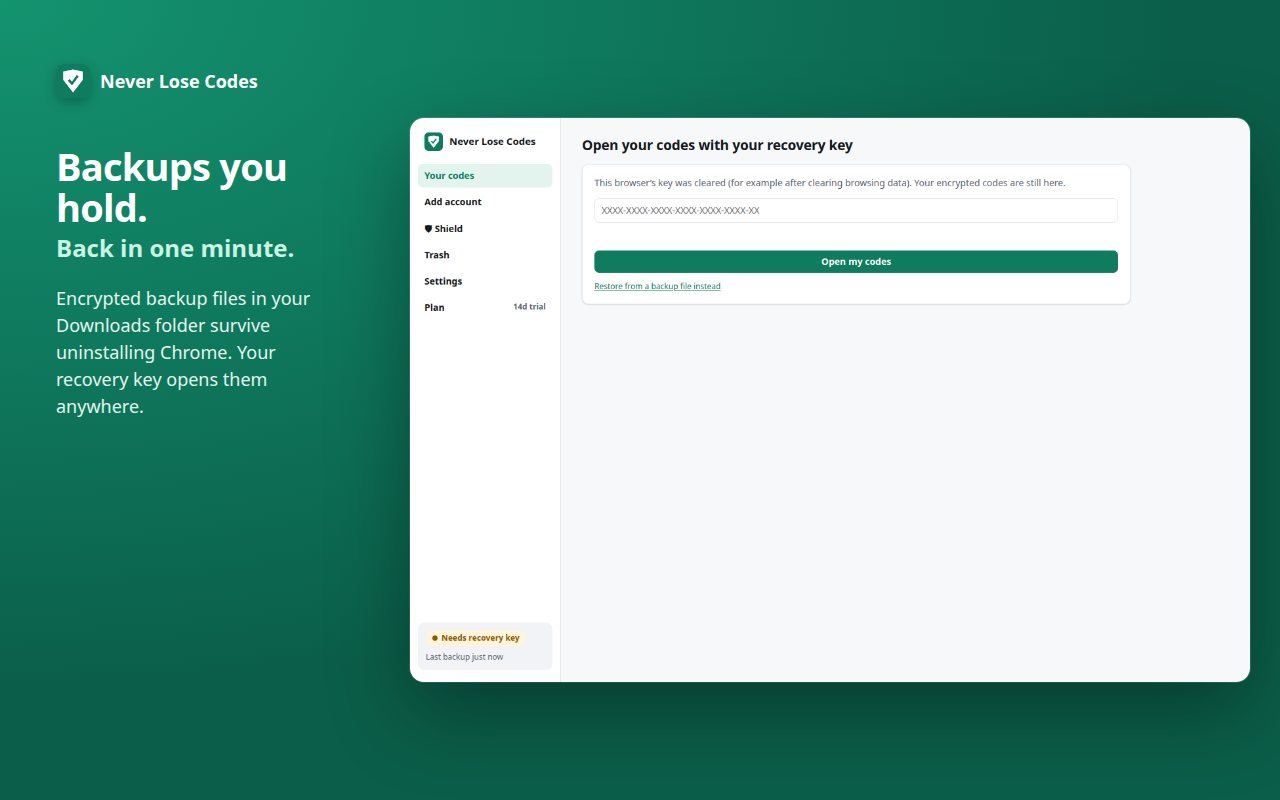
Back in after a wiped browser
Cleared Chrome's data? Type your recovery key and your codes open again.
Losing your codes means losing your accounts.
We read all 719 public reviews of the most-installed authenticator extension on the Chrome Web Store, used by about 9 million people and last updated in August 2024. These are the problems people report most:
| What people report (from public reviews) | Reviews | What Never Lose Codes does instead |
|---|---|---|
| Backups and moving to another computer | 107 | An encrypted backup file is written to your Downloads folder after every change. It opens on any computer with your recovery key. |
| Bringing codes over from a phone | 62 | Take a photo or screenshot of Google Authenticator's export code. Every account comes over at once. |
| Codes lost, or locked out of accounts | 54 | A recovery key you save once. A forgotten password or a wiped browser never costs you your codes. |
| Worries about security | 44 | No access to the websites you visit, no account, no cloud. Codes are encrypted with AES-256. |
Counts are from reviews published on the Chrome Web Store, read on October 25, 2026. A review can mention more than one problem.
It can't see your web pages. By design.
No website access
Never Lose Codes asks for no access to the sites you visit, so Chrome shows no "read and change your data" warning when you install it. Your codes appear only when you open it.
Encrypted on your computer
Every account is encrypted. Add an optional app password and nothing on your computer opens without it.
Backups you hold
Encrypted backup files in Downloads/NeverLoseCodes survive uninstalling Chrome or the extension. A weekly check makes sure they're healthy.
A recovery key
Shown once when you set up. Save it, and your codes are never out of reach, even on a brand-new computer.
Security-checked, open to inspect
Two separate AI security reviews examined the code. Every issue they found was fixed and is covered by an automated test. The full source and both reports are public: read the code on GitHub or the security details.
Works offline
Codes are made on your computer from the same standard every site uses. No signal needed.
Your codes are free forever. Pro is a one-time $5.
| Plan | Price | What you get |
|---|---|---|
| Free trial | $0 for 14 days | Everything unlocked. No card, no account. |
| Free, forever | $0 | Your codes, adding and importing accounts, encrypted backups, restore, the weekly integrity test, app password and recovery key. You are never locked out of your own codes. |
| Pro | $5 once | Supports Never Lose Codes and includes every Pro extra as it ships. Coming next: organizing your accounts, site icons, and moving accounts back to a phone. Yours forever, no subscription. |
Email us within 14 days for a refund. Details in our terms.
We never see your codes.
Your accounts are encrypted and stay on your computer and in backup files you can see. No account, no tracking, no ads, no network access. If you buy Pro, Stripe handles the payment and we keep only your email so we can re-send your key. Privacy policy · Terms of service
Straight answers
What if I lose my recovery key?
If your codes still open on your computer, go to Settings and make a new recovery key, then save it. New backups use the new key; backup files made earlier still need the old one. If you've lost both the key and every working copy of the app, nobody can open the backups, including us. More about recovery keys.
How do I move my codes to a new computer?
Install Never Lose Codes on the new computer, choose "I have a backup file" at setup, pick your newest file from Downloads/NeverLoseCodes, and type your recovery key. Step-by-step guide.
Does it sync between computers?
No. There's no account and no cloud, so nothing leaves your computer. To get your codes on a second computer, restore a backup file there. Restoring only adds accounts you don't have, so you can do it again later safely.
Is there a phone app?
No, it's a Chrome extension for your computer. Keep using your phone's authenticator alongside it if you like: moving accounts in from Google Authenticator leaves your phone's copy in place, and having both is a good backup.
What happens if Coding Friend disappears?
Your codes keep working. They're made on your computer from the standard every site uses, with no server involved, and your backups are ordinary files you hold. Nothing about using it depends on us staying in business.
Is it open source?
Not yet. The source code isn't published today. If it is, we'll link it from the security page, which describes exactly how your codes are protected.
What can it see?
Only what you put in it. It has no access to the websites you visit and makes no network calls with your codes. Its permissions are storage, alarms (scheduled backups) and downloads (writing backup files).
Help with 2FA codes
A person answers.
Email support@codingfriendllc.com. Someone who builds Never Lose Codes replies within one business day. We can never see or recover your codes for you: that's what your recovery key is for.
Chrome and Google Authenticator are trademarks of Google LLC. Never Lose Codes is made by Coding Friend LLC and is not affiliated with or endorsed by Google.